Saker
Four gold engines, one stop per trade, no grid.
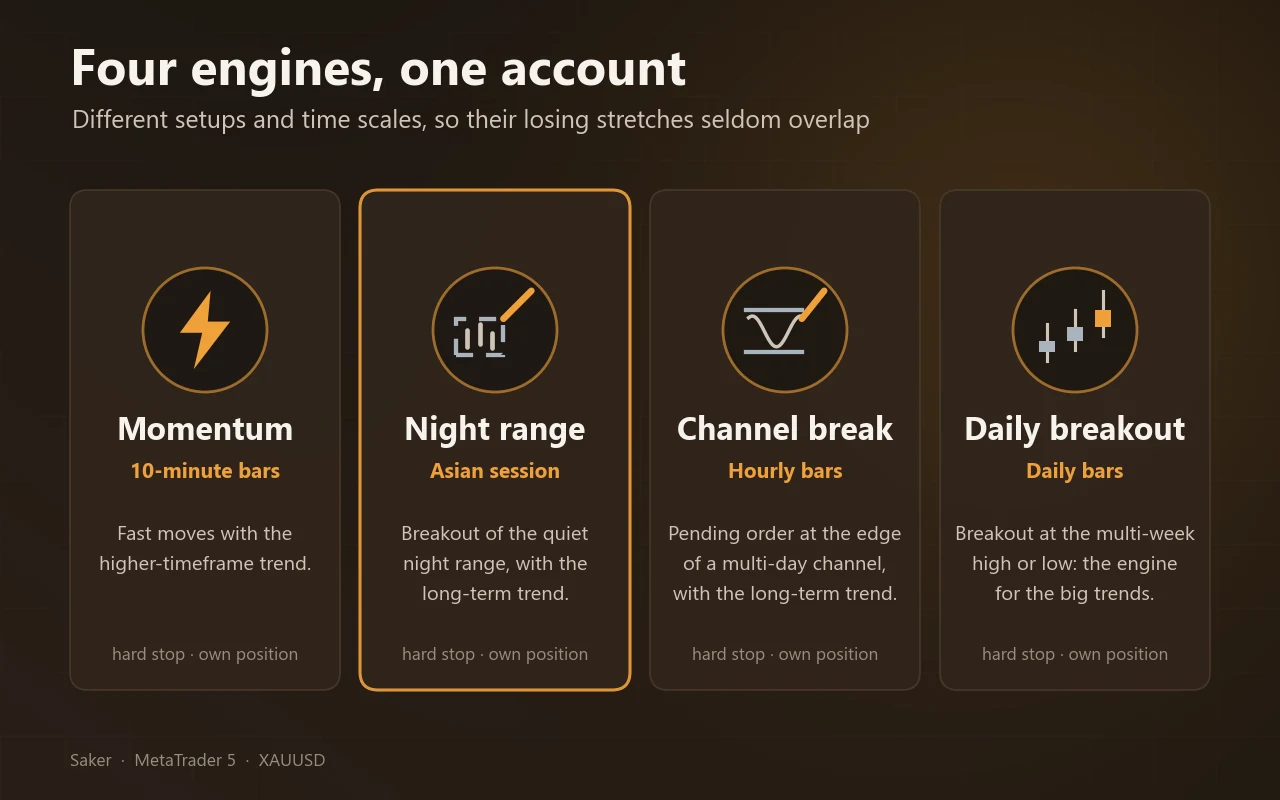
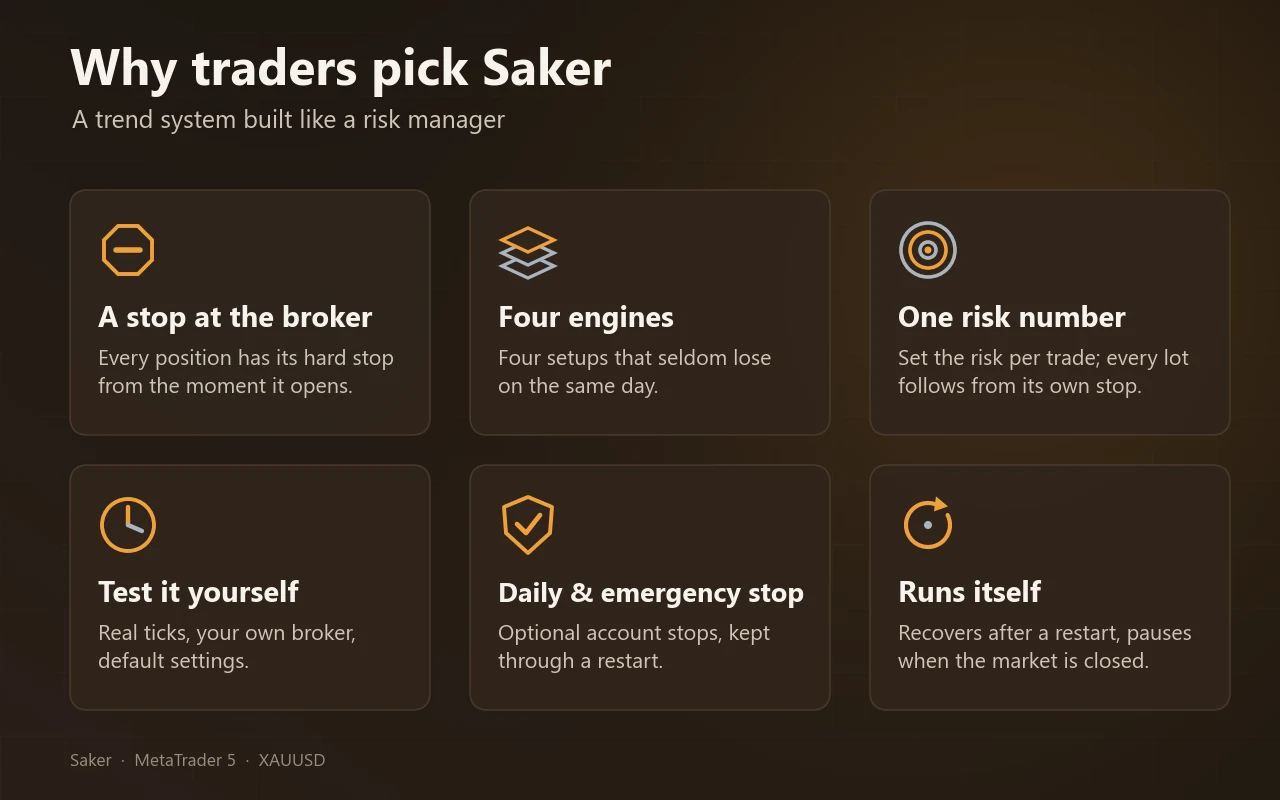
Saker trades gold (XAUUSD) with four independent trend engines: ten-minute momentum, a breakout of the quiet Asian session, an hourly channel breakout and a daily breakout. Each engine holds at most one position, and every position has a stop loss resting at the broker from the moment it opens. No grid, no martingale, no averaging into a loser, no recovery trades.

- Symbol
- XAUUSD, any suffix
- Engines
- Four: M10, Asian range, H1 and D1
- Stop
- On every trade, at the broker
- Default risk
- 1% per trade
Four engines, each with its own setup
Each engine looks for its own setup and holds at most one position. A position is sized from its stop distance, so a stop costs a known fraction of your equity. Every engine buys strength and sells weakness; none of them guesses a reversal.
- 1
Harrier SL/TP – ten-minute momentum
Trades the trend entries of our Harrier EA on ten-minute bars, always with the higher-timeframe trend. A trade ends at its stop, its target or a time limit, all scaled to current volatility. It pauses for the rest of the day after a short losing run.
- 2
Shrike – Asian range breakout
Places pending orders at the high and low of the quiet night session, only in the direction of the long-term trend. The first fill cancels the other, so there is at most one trade a day. A trade ends at its stop, at a target set as a multiple of the stop, or in the evening of the same day.
- 3
Peregrine – hourly channel breakout
Places a pending order at the edge of a multi-day channel, only in the direction of the long-term trend. A trade ends at a stop scaled to hourly volatility, or after a time limit.
- 4
Donchian – daily breakout
The classic trend-follower: pending orders at the multi-week high and low. A trade ends at a stop scaled to daily volatility, or at a target set as a multiple of the stop.
Why four engines
The engines rarely lose at the same time: their daily results correlate at about 0.2 to 0.3. On its own each engine has long flat or losing stretches; together those stretches are shorter and shallower. The ten-minute engine trades at 0.6 times your risk setting, the hourly engine at 1.25 times, the daily engine at 1.5 times and the Asian-range engine at 1 times.
What keeps it in check
The first line of protection is the stop on every trade. The rest are settings you can switch on. The daily stop and the emergency stop measure the whole account but close only Saker’s own positions.
Stop at the broker
Every position has its stop as a real order at the broker from the moment it opens, so it holds even when your terminal is offline. A stop can fill worse than its price in a fast market or after a gap.
Daily stop
Closes all Saker positions and stops for the rest of the server day once equity falls a set percentage below the day’s opening balance. Deposits and withdrawals do not count. Off by default; it survives a restart.
Emergency stop
Closes everything at a set drawdown from the equity peak and blocks trading for 72 hours. Off by default.
Lot limits
A cap on any single lot, or a fixed lot instead of risk sizing. When even the minimum lot would risk more than 1.5 times the intended amount, the trade is skipped and the journal says why.
News and Friday
The ten-minute engine sits out FOMC and the release days you choose, and takes no new trade late on Friday. The breakout engines rest their orders at the broker and are not paused.
Testing and the live signal
We give the picture rather than a table of backtest numbers: you can test Saker yourself in the MetaTrader 5 Strategy Tester, and the live signal shows how it trades with real money.
- Live signal
- Myfxbook
- Cent account, default settings, since 31 October 2026
- Engines
- 4
- Each with its own setup and its own stop
- Drawdown at 1%
- 10–15%
- What our tests saw; roughly half at 0.5%
- Losing months
- about 1 in 3
- Losses come in streaks
Live signal
Saker runs live with default settings on a cent account, tracked on Myfxbook: myfxbook.com/portfolio/saker/12286982. Read-only investor access: server VTMarkets-Live 3, login 36456103, investor password Saker2026
How we tested it
The three original engines were also run with every signal executed one, two and three minutes later, and on 2018–2020, before the years they were built on – smaller in the calm years, but the same shape. The Asian-range engine was tested on its own over 2020–2026 and together with the others on real ticks from 2021 on.
Test it yourself
Every tick based on real ticks from your own broker, a hedging account, at least two years, 10,000 USD or more at 1% risk, default inputs. Check the tick quality line of the report: below 99% real ticks the tester invents prices.
The engines were developed on recent years, so part of any backtest on those years is in-sample; a live result below it is the normal outcome. Historical results are not a promise of future results.
As shown on the MQL5 Market
The same pictures as on the product page, made from the same test runs.
From download to first trade
About five minutes. Saker needs a hedging account, gold only, and one chart per symbol.
Step 1
Install
Install from the Market tab, or copy Saker.ex5 into MQL5/Experts and restart the terminal.
Step 2
Open one gold chart
Any suffix, any timeframe: the engines use their own timeframes. Saker refuses a second copy on the same symbol in the same terminal; never run two terminals on one account.
Step 3
Attach and set the risk
Attach Saker, choose the risk per trade (see the sizing table) and enable Algo Trading.
Step 4
Check the journal
The first lines show the version, engines, risk weights, news filter and Friday cut-off. Saker warns when the server clock is not GMT+2/+3 or the account is netting.
Step 5
Demo first, then leave it alone
Run two to four weeks on a demo at the same broker. Live, use a VPS or a computer that stays on Monday to Friday. After a restart Saker finds its own positions by magic number.
Position size
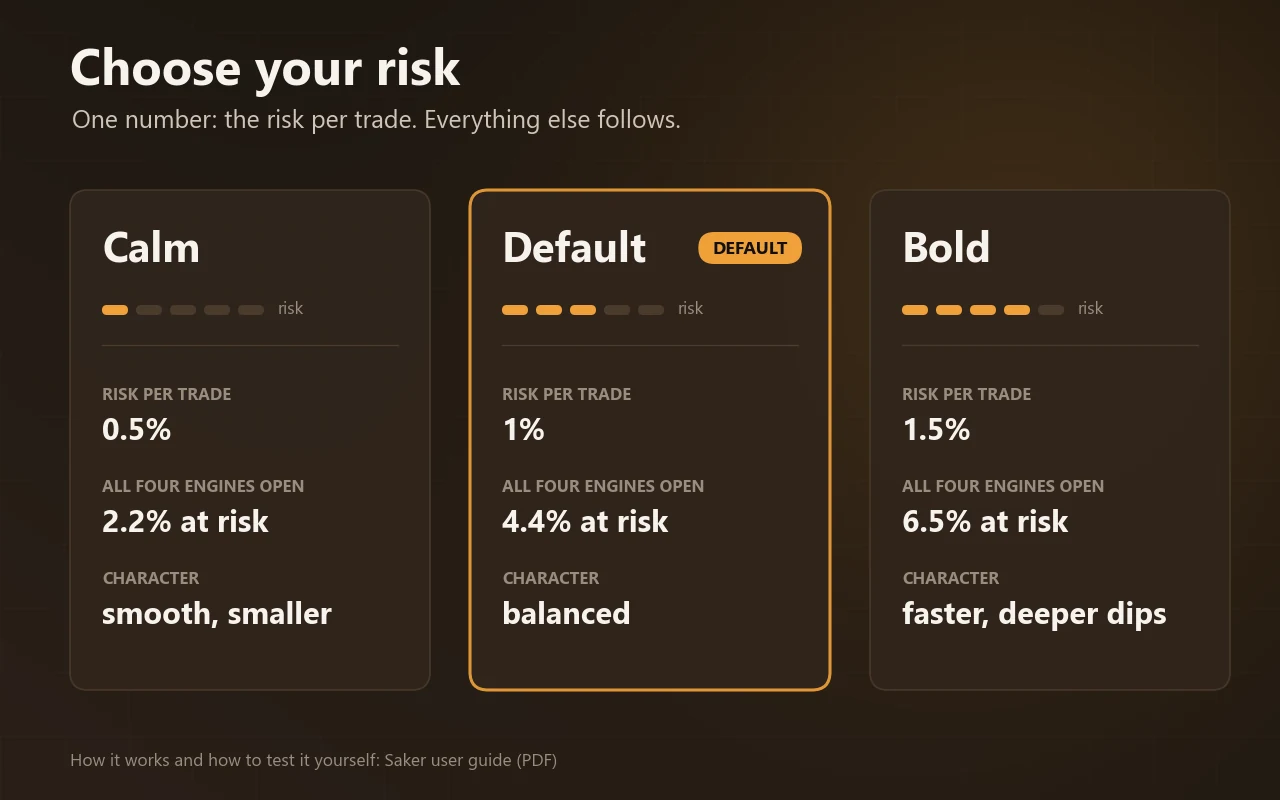
You set one number: the risk per trade, in percent of equity. With all four engines open, up to 4.35 times that setting is at risk at once. Choose it for the drawdown, not for the average month.
| Risk per trade | All four open | Typical use |
|---|---|---|
| 0.25% | about 1.1% | Very calm, prop firm |
| 0.5% | about 2.2% | Cautious live account |
| 1.0% (default) | about 4.4% | The setting we test with |
| 1.5% | about 6.5% | Aggressive |
| 2.0% | about 8.7% | Only money you can lose |
Drawdown grows roughly in step with the risk per trade: at the default 1% our tests saw equity drawdowns in the region of 10–15%. In a busy gold market at 1% risk, plan on about 5,000 USD to trade all four engines at their minimum lot; below that, trades are skipped. A cent account removes the limit.
The inputs that matter
Stops, targets, channels and filters are built in and fixed, so they cannot be broken by accident. What you set is risk, engines, news handling and display.
General
- Magic number
- Identifies Saker’s positions: base for engine 1, +1, +2 and +3 for engines 2, 3 and 4. Keep it when you update.
- Trade direction
- Both (default), buy only or sell only. Applies to new trades of all four engines.
Risk
- Risk per trade
- Percent of equity risked on the stop of one trade, before the engine weight. Default 1.0.
- Fixed lot
- A fixed lot instead of risk sizing. The risk per trade then varies with the stop. 0 = off.
- Max lot
- Caps the lot of any single trade. 0 = no cap.
- Daily stop %
- Closes Saker’s positions for the rest of the server day at this loss below the day-open balance. 0 = off. Set it below any daily limit you must respect.
- Emergency stop %
- Closes everything at this drawdown from the equity peak and pauses 72 hours. 0 = off.
- Risk weight per engine
- 0.6 / 1.25 / 1.5 / 1.0 by default: the risk of a trade of that engine as a multiple of the risk per trade.
Engines
- Engine 1 / 2 / 3 / 4
- Switch the M10 momentum, H1 channel breakout, D1 breakout or Asian range engine on or off. All on by default; with engine 4 off Saker trades as version 1.03.
News and Friday (Harrier SL/TP)
- FOMC filter
- No new ten-minute trade on FOMC days. On by default.
- News window
- A window around FOMC, CPI and NFP releases. On by default.
- News days without a new trade
- FOMC only, FOMC + NFP (default), + Core CPI/CPI, or + PPI.
- Friday cut-off
- No new ten-minute trade from this server time on Friday. Default 17:00.
Other
- Max slippage
- Maximum slippage in points. Default 30.
- Show the panel
- The on-chart panel. On by default.
- Push notifications
- A push message when the daily stop or the emergency stop fires.
Reading the panel
The panel shows the state of the account and each engine. On the chart Saker also draws the pending orders of the three breakout engines and the stop of every open position; all of them are real orders at the broker.
- Balance / Equity / Floating
- Realised money, current value, and the open result of all Saker positions.
- Risk per trade
- Your setting and the four engine weights, or the fixed lot.
- Realised
- Closed result today, this month and in total – Saker only.
- Engines
- Per engine: off, waiting, a pending order (orange, with its price), an open position (green buy, red sell, with lot and open result), or paused (day brake, news, Friday). Below each its closed result and won/lost count.
- Trades
- Closed trades, win rate, current drawdown and the deepest drawdown since you started.
- Status
- ACTIVE, STANDBY or CHECK, with the reason.
Questions buyers ask
Click a question to open it.
Why a hedging account?
The four engines can hold positions at the same time, sometimes in opposite directions. On a netting account they would merge into one. Saker then starts with a warning and trades one engine at a time. All tests are on hedging.
How often does it lose?
About half of all trades end at their stop, and the winners pay for that. In our tests about one month in three closed with a loss.
It has not traded for days. Is something wrong?
Usually not. Each engine waits for its own setup, and quiet weeks have none. Check the status line, Algo Trading and the journal at startup.
Can I change the stops or targets?
No. The engine values are fixed so they cannot be broken by accident. You control risk, engines, direction, news handling and the brakes.
Can it run next to other EAs?
Yes. Each engine has its own magic number. The daily stop and the emergency stop measure the equity of the whole account but close only Saker’s positions.
How do I update?
Pick a quiet moment, save your inputs as a .set file, update the EA, restart and load the .set file. Keep the magic number the same so Saker finds its open positions.
Does it need a DLL or internet access?
No DLL, no web requests, no external files. In the Strategy Tester it uses a built-in list of the news dates it filters on.
Good to know
Losing streaks are normal
About half of all trades hit their stop. Expect losing streaks and roughly one losing month in three. If such a month would make you switch it off, choose a lower risk now.
Choppy markets
Saker earns when gold moves and keeps moving, and loses when moves reverse before they continue – weeks with large daily ranges and a new direction almost every day. We found no filter that detects these weeks in advance without costing more in other years.
In-sample results
The engines were developed on recent years, and gold’s trend years weigh heavily in any backtest. A live result below the backtest is the normal outcome.
Execution and costs
Stops can fill worse than their price after a gap. A spread several times wider than in the tests is a cost on every trade, and the ten-minute engine trades most. Use a raw or ECN gold account.
What changed
Current version 2.00, updated 31 October 2026.
v2.002026-10-31
Fourth engine: a breakout of the quiet Asian session (magic base + 3, risk weight 1.0), on by default. With it switched off Saker trades exactly as 1.03.
v1.032026-10-05
On a netting account Saker now trades one engine at a time instead of refusing to start. Margin check before every order. Identical to 1.02 on hedging.
v1.022026-10-05
Risk weight per engine (0.6 / 1.25 / 1.5), a daily pause for the ten-minute engine, fixed engine values, panel shows weights and paused engines.
v1.012026-10-04
Choice of which release days take no new ten-minute trade, and a small refinement of the ten-minute entries.
v1.002026-09-25
First release: three engines in one EA, each with its own magic number and a stop at the broker.
Saker
Gold · available on the MQL5 Market · questions? Message us on MQL5